
Google Docs & Google Sheets Invoice Templates
Pro forma invoices are sent before work is done or goods are shipped. They outline what items will cost so customers can make informed choices before purchasing.
Download free pro forma invoice templates below in Excel, Word, or PDF, or create your own with our free generator.


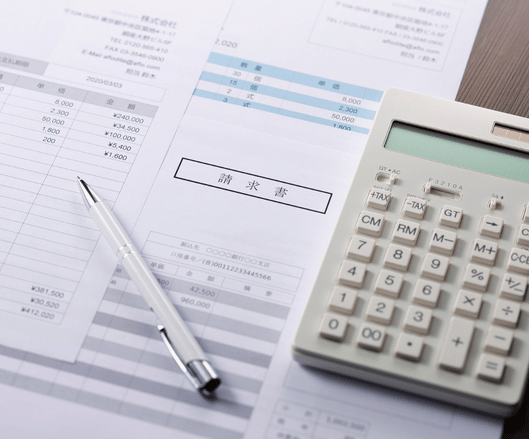
What is a Google Sheets invoice template?
A Google Sheets invoice template is a customisable spreadsheet designed to help businesses create, calculate, and manage professional invoices
It includes essential details such as invoice numbers, customer information, descriptions of goods or services, quantities, unit prices, taxes, and payment terms. Unlike traditional document templates, Google Sheets supports formulas that can automatically calculate subtotals, taxes, discounts, and final invoice amounts. This makes it a convenient invoicing solution for freelancers and small businesses.
What is a Google Docs invoice template?
A Google Docs invoice template is a ready-made document that helps freelancers, self-employed professionals, and small businesses create professional invoices quickly and easily.
It includes essential fields such as business details, customer information, invoice numbers, descriptions of goods or services, prices, and payment terms. Google Docs invoice templates are free to use with a Google account, easy to customise, and accessible online. You can edit your invoices, add your business logo, and download them as PDF files to share with customers.

What Industries Use Pro Forma Invoices?
Businesses that use pro forma invoice templates span across several industries:
Construction
Contractors use pro forma invoices to provide upfront pricing for materials and labor before signing contracts or breaking ground.
Freelancing
Freelancers and consultants share pro forma invoices to outline expected deliverables, timelines, and milestones before kickoff.
Frequently Asked Questions
Everything you need to know about Simplify Invoice, from creating invoices to managing payments and growing your business.
Google Docs is a convenient option for creating basic invoices, but it has some limitations. You must manually enter invoice details, calculate totals, track payments, and organise records. As your business grows, managing multiple invoices can become time-consuming and increase the risk of errors. For businesses that send invoices regularly, dedicated invoicing software like Simplify Invoice can help streamline billing, reduce manual work, and keep invoice records organised.
Google Docs, Google Sheets, Microsoft Excel, and dedicated invoicing software are popular alternatives to Microsoft Word invoice templates. Google Docs is suitable for creating simple, professional invoices, while Google Sheets and Excel offer formulas for automatic calculations. For businesses that want a more efficient invoicing process, Simplify Invoice provides a convenient way to create professional invoices, manage customer details, and track payments without relying on manually edited documents.
Yes. Invoice templates are available in several formats, including Google Docs, Google Sheets, Microsoft Word, Microsoft Excel, and PDF. Each format offers different benefits. Google Docs and Word are useful for customisable layouts, while Google Sheets and Excel support formulas for calculating totals and taxes. PDF invoices are useful for sharing finalised documents with customers. Choose the format that best suits your business needs and invoicing workflow.
Yes. You can learn how to create professional invoices using online guides, tutorials, invoice templates, and invoicing software. A standard invoice should include your business name, contact details, invoice number, issue date, customer information, description of goods or services, quantities, prices, total amount due, payment terms, and payment instructions. Using a ready-made Google Docs invoice template can help beginners create accurate and professional invoices without starting from scratch.
Google Docs invoice templates are ideal for freelancers, self-employed professionals, and small businesses that send invoices occasionally and prefer a free, customisable document format. However, if you regularly issue invoices, manage multiple customers, or need to monitor outstanding payments, manual templates may become less efficient. Alternatives include Google Sheets, Microsoft Excel, and dedicated invoicing software such as Simplify Invoice. For businesses looking to save time, reduce paperwork, and simplify billing, dedicated invoicing software can provide a more convenient long-term solution.
Yes, set weekly, monthly, quarterly, or annual schedules to automatically charge clients or send invoices on time.
Google Docs invoice templates are used to bill customers for goods sold or services provided. They offer a simple way to prepare professional invoices without needing specialised accounting software. Freelancers, consultants, contractors, and small businesses can use these templates for one-time invoices, service billing, and pro forma invoices. However, businesses that issue invoices regularly may benefit from dedicated invoicing software like Simplify Invoice to reduce manual work, organise customer records, and track payments more efficiently.
Google Sheets invoice templates are used to create professional invoices, calculate charges, and organise billing information efficiently. They are particularly useful for businesses that invoice multiple products or services, calculate taxes and discounts, or need to make frequent changes to invoice amounts. With Google Sheets, you can customise invoice layouts, use formulas to reduce calculation errors, and download completed invoices as PDF files. For businesses managing large numbers of invoices or recurring customer billing, dedicated invoicing software like Simplify Invoice can provide a more streamlined invoicing workflow.
Ready to Get Paid Faster?
Send your first estimate or invoice right now for $0!